


Advertisements
Let me tell you something – I used to be that person who’d check their bank account and immediately regret every life decision I’d made in the past month. Sound familiar? According to a recent survey, 65% of Americans don’t know how much they spent last month!
I remember sitting at my kitchen table one Sunday morning, surrounded by crumpled receipts and empty coffee cups, trying to figure out where all my money went. It was like playing financial detective, except I was both the criminal and the victim. That’s when I discovered the world of budgeting apps – and honestly, they’ve been a game-changer.
Over the past three years, I’ve tested pretty much every free budgeting app out there (yeah, I’m that person). Some were amazing, others… not so much. Today I’m gonna share the ones that actually helped me get my financial life together without costing me a dime.
Why Free Budgeting Apps Beat Spreadsheets Every Time
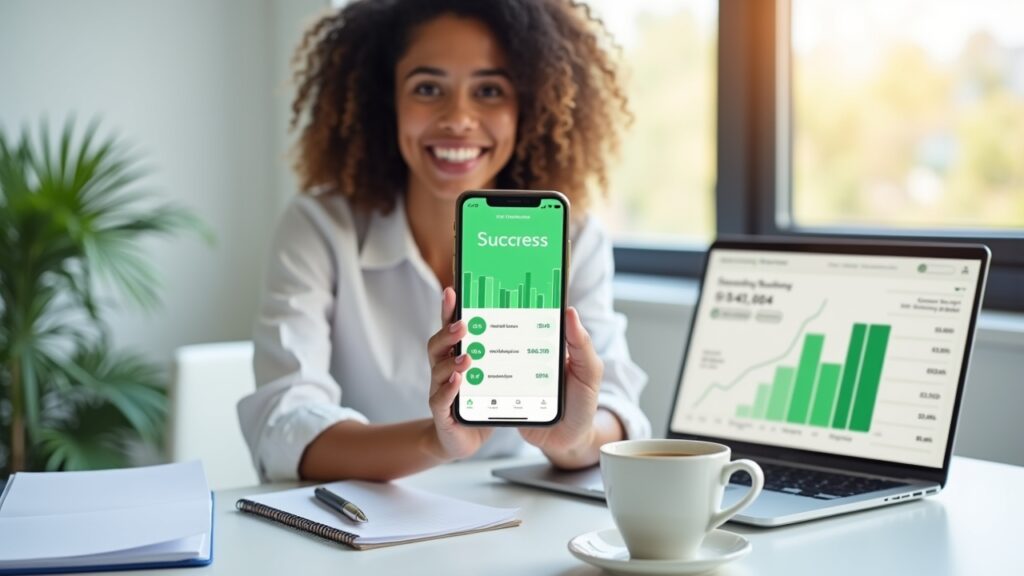
Look, I tried the whole Excel spreadsheet thing. Really, I did. But between forgetting to update it and accidentally deleting formulas (don’t ask), it just wasn’t working for me.
Free budgeting apps sync automatically with your bank accounts – no more manual entry! They categorize your spending, send you alerts when you’re overspending, and some even have features that made me actually excited about budgeting. Who knew that was possible?
The best part? You can check your budget while standing in line at Target, wondering if you really need that fifth throw pillow. (Spoiler: you probably don’t.)
Top Free Budgeting Apps I’ve Actually Stuck With
Mint: The OG of Free Budget Apps
Mint was my first love in the budgeting app world. It has been around since 2006, and there’s a reason it’s still popular. It connects to pretty much every financial institution out there and automatically categorizes your transactions.
What I love most is the bill reminder feature – it’s saved me from late fees more times than I care to admit. The app will literally send you notifications like “Hey, your internet bill is due in 3 days!” Simple but effective.
One minor annoyance? Sometimes the ads for credit cards and loans can be a bit much. But hey, that’s how they keep it free, so I can’t complain too much.
YNAB (You Need A Budget): The Free Trial That Hooked Me
Okay, technically YNAB isn’t completely free – it’s got a 34-day free trial. But hear me out! This app literally changed how I think about money.
YNAB uses this concept called “giving every dollar a job,” which sounds kinda corny but actually works. Instead of tracking where your money went (past tense), you plan where it’s going (future tense). Mind. Blown.
During my free trial, I saved enough money to pay for a whole year subscription. If that’s not a good ROI, I don’t know what is!
PocketGuard: For People Who Just Want the Basics
Sometimes you don’t need all the bells and whistles. PocketGuard is perfect if you just want to know one thing: how much can I spend today without messing up my budget?
The app shows you your “spendable” amount after accounting for bills, savings goals, and necessities. It’s like having a really responsible friend who tells you “maybe skip the latte today.” Except this friend lives in your phone and doesn’t judge you when you buy it anyway.
The free version does have some limitations – you can only connect one bank account and you don’t get the fancy reporting features. But honestly? For basic budgeting, it does the job.
Goodbudget: Going Old School with Digital Envelopes
Remember the envelope budgeting system your grandma probably used? Goodbudget brings that concept into the 21st century. You create digital “envelopes” for different spending categories and allocate money to each one.
What’s cool is you can share envelopes with family members. My partner and I use this for our shared expenses, and it’s eliminated about 90% of our money-related arguments. (The other 10% is usually about whether buying another houseplant counts as a “necessity.”)
The free version lets you have 10 envelopes, which was plenty for me when I started. Though I’ll admit, once you get into it, you kinda want to envelope everything!
Features That Actually Matter (And Some That Don’t)
After trying dozens of apps, here’s what I’ve learned actually makes a difference:
Automatic bank syncing – If you have to manually enter transactions, you won’t. Trust me on this one.
Bill reminders – These have literally saved me hundreds in late fees.
Spending alerts – Getting a notification when you’ve spent 80% of your restaurant budget is surprisingly motivating.
Simple interface – If it takes more than 30 seconds to check your budget, it’s too complicated.
What doesn’t matter as much? Fancy investment tracking (use a separate app for that), cryptocurrency support (unless that’s your thing), and complex reporting features that you’ll look at once and never again.
Real Talk: Common Budgeting App Mistakes to Avoid
Let me save you from some of the mistakes I made when I first started using budgeting apps. First up – don’t connect every single account you have on day one. Start with your main checking account and maybe one credit card.
I made the mistake of connecting everything immediately and got so overwhelmed by the data that I didn’t open the app for two weeks. Baby steps, people!
Another thing – don’t set unrealistic budgets. I once gave myself $50 for groceries for the entire month. Spoiler alert: that lasted exactly four days. Be honest about your spending habits and adjust gradually.
Oh, and here’s a big one – actually check the app regularly! I know it sounds obvious, but downloading a budgeting app won’t magically fix your finances. (I may have learned this the hard way.)
Which Free Budgeting App Should You Actually Choose?
Here’s my totally unscientific but based-on-experience recommendation system:
If you want something that just works out of the box: Go with Mint
You’re serious about changing your financial habits: Try YNAB’s free trial
If you just want to know what you can spend: PocketGuard is your friend
If you’re budgeting with a partner: Goodbudget makes sharing easy
Honestly though? The best budgeting app is the one you’ll actually use. Download a couple, try them out for a week or two, and see which one clicks with your brain.
Your Financial Journey Starts With One Download
Look, I get it – thinking about budgeting isn’t exactly thrilling. But you know what is thrilling? Actually having money left over at the end of the month. Or being able to say yes to that weekend trip without checking your bank balance first.
These free budgeting apps have honestly transformed my relationship with money. I went from financial chaos to actually having a six-month emergency fund. (Okay, it’s more like four months, but I’m working on it!)
The most important thing is to just start. Pick one app, download it today, and give it a try. For more on budget tips, keep updating Cashflow Zen.


[…] finances under control? Start with a free trial today, and while you’re at it, check out more small business tips at Cashflow Zen. We’ve got tons of practical advice for entrepreneurs who’d rather […]